If you continue browsing this website, you agree to our policies:
  • Charte d'utilisation des plateformes Moodle de l'UCLouvain
  • Politique de protection des données des plateformes Moodle de l’UCLouvain
  • Politique de propriété intellectuelle des plateformes Moodle de l’UCLouvain
Continue
x
MoodleUCLouvain
  • Home
  • Calendar
  • Besoin d'aide ?
    Manuel enseignant Manuel étudiant Helpdesk
  • My Media
  • More
English (EN)
Deutsch (DE) English (EN) Español (ES) Français (FR) Italiano (IT) Nederlands (NL) Português (PT)
You are currently using guest access
Log in
MoodleUCLouvain
Home Calendar Besoin d'aide ? Collapse Expand
Manuel enseignant Manuel étudiant Helpdesk
My Media
Expand all Collapse all
  1. LLSMF/S-2903
  2. Individual Assignments
  3. Zapier Procedure Addendum (in case of connection error)

Zapier Procedure Addendum (in case of connection error)

Completion requirements

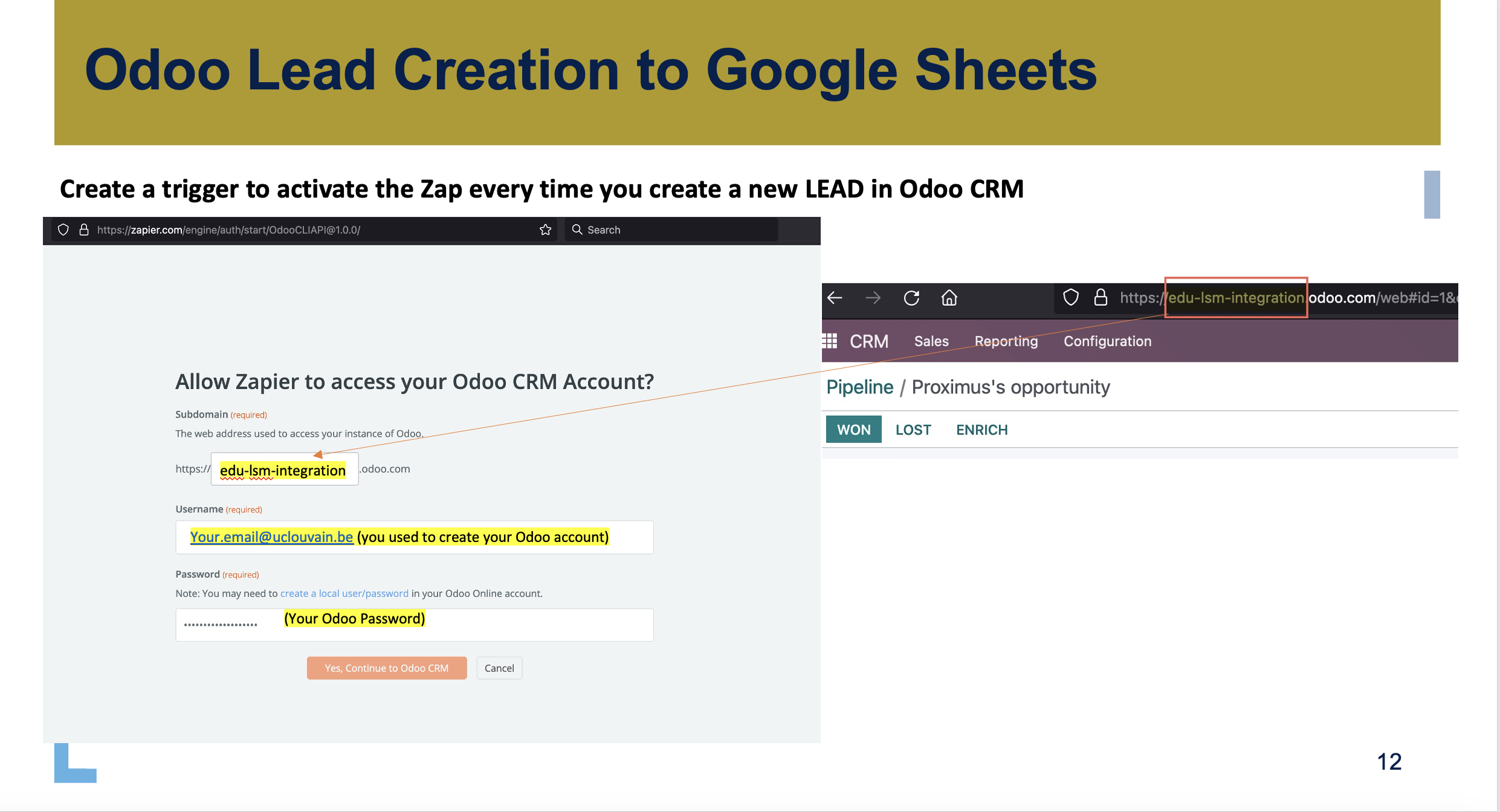
It is important to note that, in order to connect Odoo to your Zapier account you need to use the same credentials you used to create your Odoo account. Zapier needs to know it has the right to access your Odoo account. This means that if you give a different url, username or password it will not work.

Attached you will find an update of the slide covering the integration of Odoo with Zapier.

In your existing Zap, feel free to create a NEW account connection in order to open the window (pop up) prompting you to give your Odoo credentials.


497.5 KB · PNG · Uploaded 21/09/25, 15:00
You are currently using guest access (Log in)
Policies
Get the mobile app
Powered by Moodle